Free Beta — No credit card required

Your tests pass.
But your website still looks broken.

TestivAI spots things your tests miss — like buttons you can't see, pages that look wrong, or colors that changed by accident.

Start Free — 5 Min Setup See How It Works
Works with Playwright No credit card Fast analysis Free during beta
CI Pipeline — All Passing
✓ checkout.spec — 12 tests
✓ cart.spec — 8 tests
✓ payment.spec — 6 tests
✓ auth.spec — 9 tests
─────────────────────
✓ 247 tests — all green
# Deploying to production
</>
What users see — 72hrs later
Checkout Now →
BUG
⚠ Invisible button — white on white background
The Problem

Your tests can't see
what your users see.

Tests check if your code works. But they can't check if your website looks right.

You already have lots of tests to check if your code works. But none of them check how your website actually looks on someone's screen.

A visual bug happens when your website looks fine on your computer but looks broken on someone else's phone or browser. It sneaks past all your tests.

Taking screenshots of your pages should help — but most screenshot tools cry wolf too often. They flag tiny harmless changes until your team just ignores them.

TestivAI is different. Instead of checking every tiny dot on the screen, it understands what actually changed and whether it matters.

ci-output.log
✓ checkout.spec — passing
✓ cart.spec — passing
✓ auth.spec — passing
 
// 3 days later in production...
 
✗ "checkout button is invisible
  on my phone" — user report
 
// Fix: 1 line of CSS
// Bug was live for 72 hours
Smart Match Algorithm

Five smart checks.
One clear answer.

Each check removes the harmless stuff, so only real problems get through.

Our 5-Layer Smart Match algorithm progressively filters out visual noise, stopping at the first layer that detects a meaningful difference.

🚀
Fast exits - 60-70% of tests pass instantly at Layer 1
🎯
Smart filtering - Ignores harmless changes automatically
🤖
AI insights - Human-readable explanations for failures
⚙️
Configurable - Set tolerance per project needs
01
DOM
Page structure check
02
CSS
Style validation
03
Layout
Position analysis
04
Perceptual
Visual comparison
05
AI Counselor
Smart analysis
Dashboard Preview

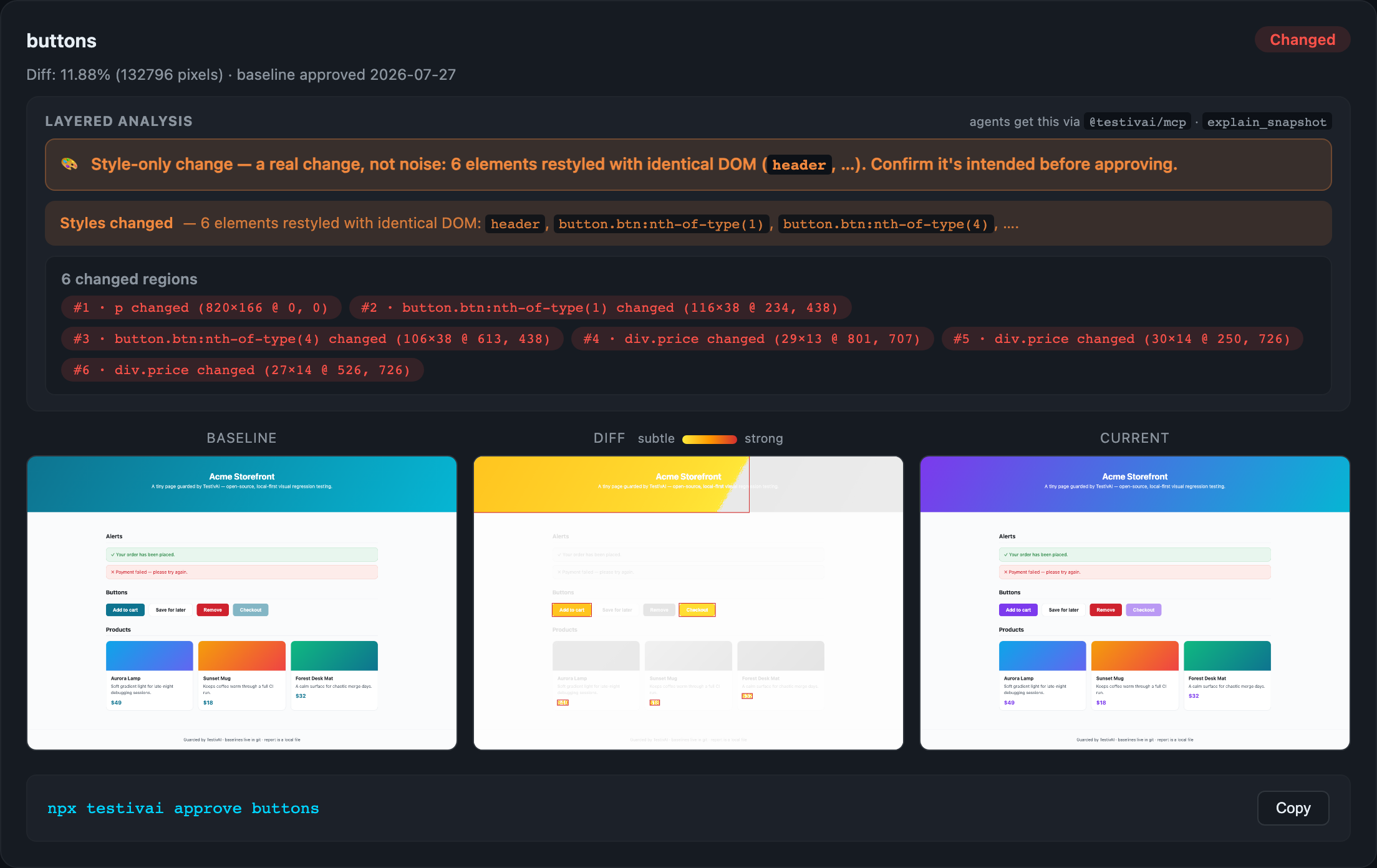
See exactly what changed.
And why.

Every run tells you which layer caught the change — not just pass or fail.

dashboard.testiv.ai / runs / batch-892
📄
e-commerce-checkout.spec.ts
main
Layer 2 - CSS
2h ago
1.2s
PASS
📄
user-dashboard.spec.ts
main
Layer 1 - DOM
2h ago
0.4s
PASS
📄
payment-flow.spec.ts
feature/new-ui
Layer 4 - Perceptual
3h ago
2.8s
REVIEW
📄
product-catalog.spec.ts
main
Layer 1 - DOM
4h ago
0.6s
PASS
📄
admin-panel.spec.ts
main
Layer 3 - Layout
5h ago
1.5s
PASS
Passing
0
Review
0
Avg Time
1.4s
Branch
main
dashboard.testiv.ai / diff / payment-flow
BASELINE
Payment Checkout
Complete Purchase →
Secure payment powered by Stripe
CANDIDATE — BUG DETECTED
Payment Checkout
Complete Purchase →
Secure payment powered by Stripe
AI ANALYSIS
Layer 4 - Perceptual 97%
// 1. Install
npm install @testivai/witness-playwright

// 2. Add to playwright.config.ts
import { TestivAIReporter } from '@testivai/witness-playwright';

export default {
  reporter: [[ TestivAIReporter, {
    apiKey: process.env.TESTIVAI_API_KEY
  }]],
};

// 3. Add one line to any test
await testivai.witness(page, testInfo, 'checkout-page');

// That's it. Your tests run normally.
Get Started

Up and running
in 5 minutes.

No new test suite. No new infrastructure. Works on top of what you have.

01
Install the SDK
One command. Works with your existing Playwright setup.
npm install @testivai/witness-playwright
02
Add One Line
Call witness() where you want visual coverage.
await testivai.witness(page, testInfo, 'name');
03
Review Results
Open the dashboard after CI. See what changed and why.
dashboard.testiv.ai → your project
SDKs & Integrations

Works with your
favorite tools.

Native SDKs for popular testing frameworks. More coming soon.

Playwright
Full-featured SDK with all 5 analysis layers. TypeScript support included.
✓ Available
CDP Protocol
Direct Chrome DevTools Protocol support. Works with Cypress, Selenium, and custom implementations.
WIP - Coming Q2
Comparison

What makes TestivAI
different.

A smarter approach to visual testing.

Feature TestivAI
Analysis approach 5-layer smart analysis (DOM + CSS + Layout + Perceptual + AI)
Analysis speed Fast — skips unnecessary work
False positive rate <5%
Early exit for identical pages DOM fingerprint — exits instantly
Plain English failure reason Layer + reasoning
Free during beta No limits
Works with your CI GitHub Actions, GitLab CI, and more
Free Beta

Ship faster.
Catch visual bugs before your users do.

Free with no limits during beta. Works with Playwright. Set up in minutes.

Start Free Today → Read the Docs